Dashboard
The dashboard is the web interface for managing all your browsers easily. From the UI, you can see all your browsers running, the capacity of your browser pool and the useful links related to BlitzBrowser.
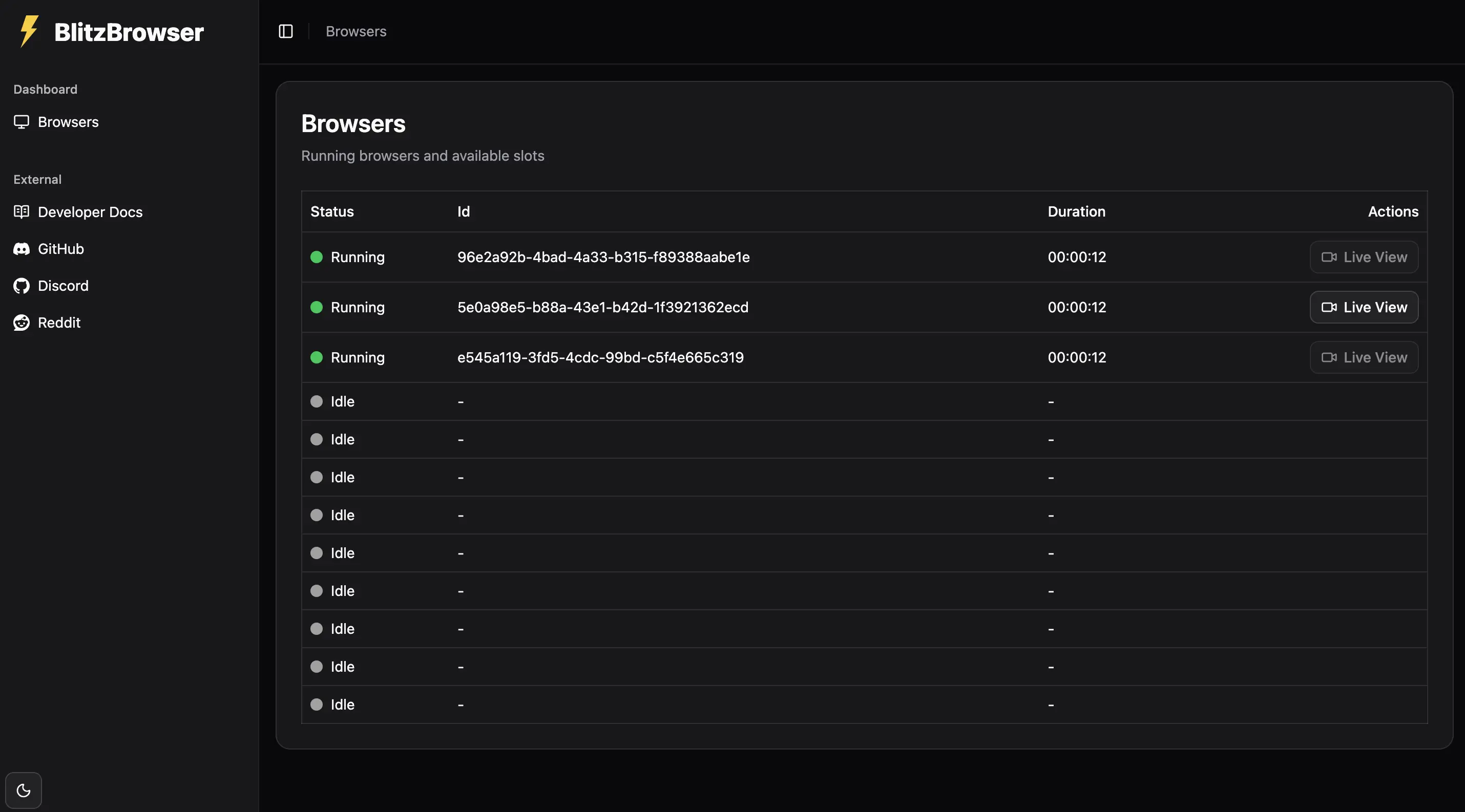
How to deploy the dashboard
The dashboard isn't deployd in the ghcr.io/blitzbrowser/blitzbrowser docker image. You need ghcr.io/blitzbrowser/dashboard.
This is a docker compose file to deploy BlitzBrowser, the dashboard and the user data storage.
services:
  blitzbrowser:
    image: ghcr.io/blitzbrowser/blitzbrowser:latest
    ports:
      - "9999:9999"
    environment:
      S3_ENDPOINT: http://s3:9000
      S3_ACCESS_KEY_ID: rustfsadmin
      S3_SECRET_ACCESS_KEY: rustfsadmin
      S3_USER_DATA_BUCKET: user-data
    shm_size: "2gb"
    restart: always
  dashboard:
    image: ghcr.io/blitzbrowser/dashboard:latest
    ports:
      - "3000:3000"
    restart: always
  s3:
    image: rustfs/rustfs
    ports:
      - "9000:9000"
      - "9001:9001"
    environment:
      RUSTFS_VOLUMES: /data
      RUSTFS_ADDRESS: :9000
      RUSTFS_ACCESS_KEY: rustfsadmin
      RUSTFS_SECRET_KEY: rustfsadmin
      RUSTFS_CONSOLE_ENABLE: true
    restart: always
    volumes:
      - s3_data:/data
  # RustFS volume permissions fixer service
  volume-permission-helper:
    image: alpine
    volumes:
      - s3_data:/data
    command: >
      sh -c "
        chown -R 10001:10001 /data &&
        echo 'Volume Permissions fixed' &&
        exit 0
      "
    restart: "no"
volumes:
  s3_data: